
Webhooks
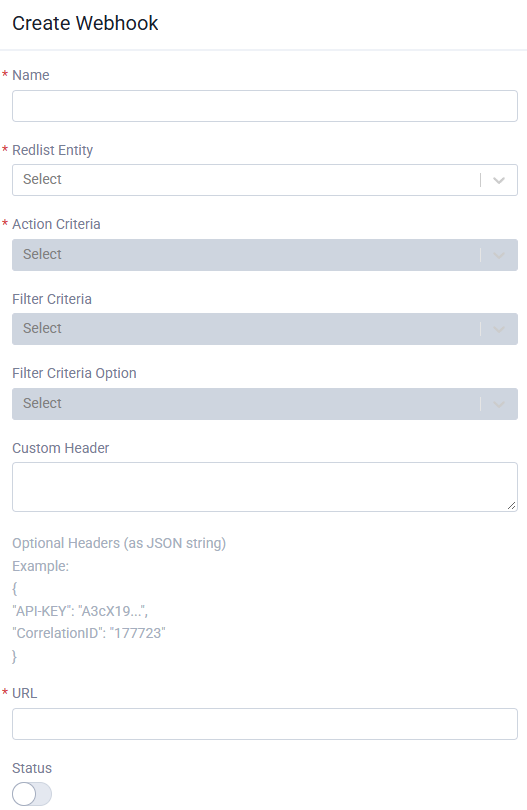
Webhooks send an HTTPS POST to your URL when something changes in Redlist, so your system hears about it straight away instead of polling. Set them up in Redlist, or subscribe with the API.

Subscribe with the API
The API key needs the webhook permission (included in the Maintenance and Operations presets). Each key sees and manages only the webhooks it created.
GET api/Webhooks/Eventslists the record types and actions your key can subscribe to.GET api/Webhookslists your subscriptions;GET api/Webhooks/{id}shows one, includingactiveanddeactivateReason.DELETE api/Webhooks/{id}unsubscribes.To limit a subscription, send
filterEntityTypeandfilterConditionEntityIDtogether, for example a board for work orders or a form template for form submissions.
Events
WorkOrders: Created, Completed, Cancelled, Updated (filter by board)
Tasks: Created, Completed, Updated, Cancelled
Forms: Submitted (filter by form template)
Assets: Updated (filter by asset status)
PurchaseOrders: Created, Updated, Sent, Completed, PartiallyFulfilled
Jobs: Created, Completed
Employees, Users, Products: Created, Updated
What you receive
Delivery and retries
Reply with any 2xx status quickly; do slow work after responding.
Any other status is retried up to 3 more times, 2 seconds apart. Network errors and timeouts are not retried.
Delivery is at least once, so the same event can arrive twice. Repeats of the same event within 10 minutes are suppressed.
A subscription turns itself off after 30 failed deliveries in a row, or immediately if your endpoint returns 410 Gone. The reason shows in
deactivateReason.
Checking a request came from Redlist
Deliveries are not signed yet. Until they are, add a secret custom header when you subscribe and check it on your endpoint. Signed deliveries are planned.